Selected in the photo
Orion Nebula
M 42 · NGC 1976
- Type
- HII region
- Brightness
- 4.0 V
- Size on the sky
- 60′
- Constellation
- Orion
- Position
- 05h 35m 16s −05° 23′
Open a photo of the night sky or of the Moon. Skyshot works out exactly which part of the sky or of the Moon it shows and names what is in the frame: stars, constellations, nebulae and galaxies, or the Moon’s seas, craters and mountains. Then turn it into a picture worth sharing.
Free to try, no account needed. Stars are detected in your browser and identified by their positions.
JPEG · PNG · WebP · TIFF · FITS
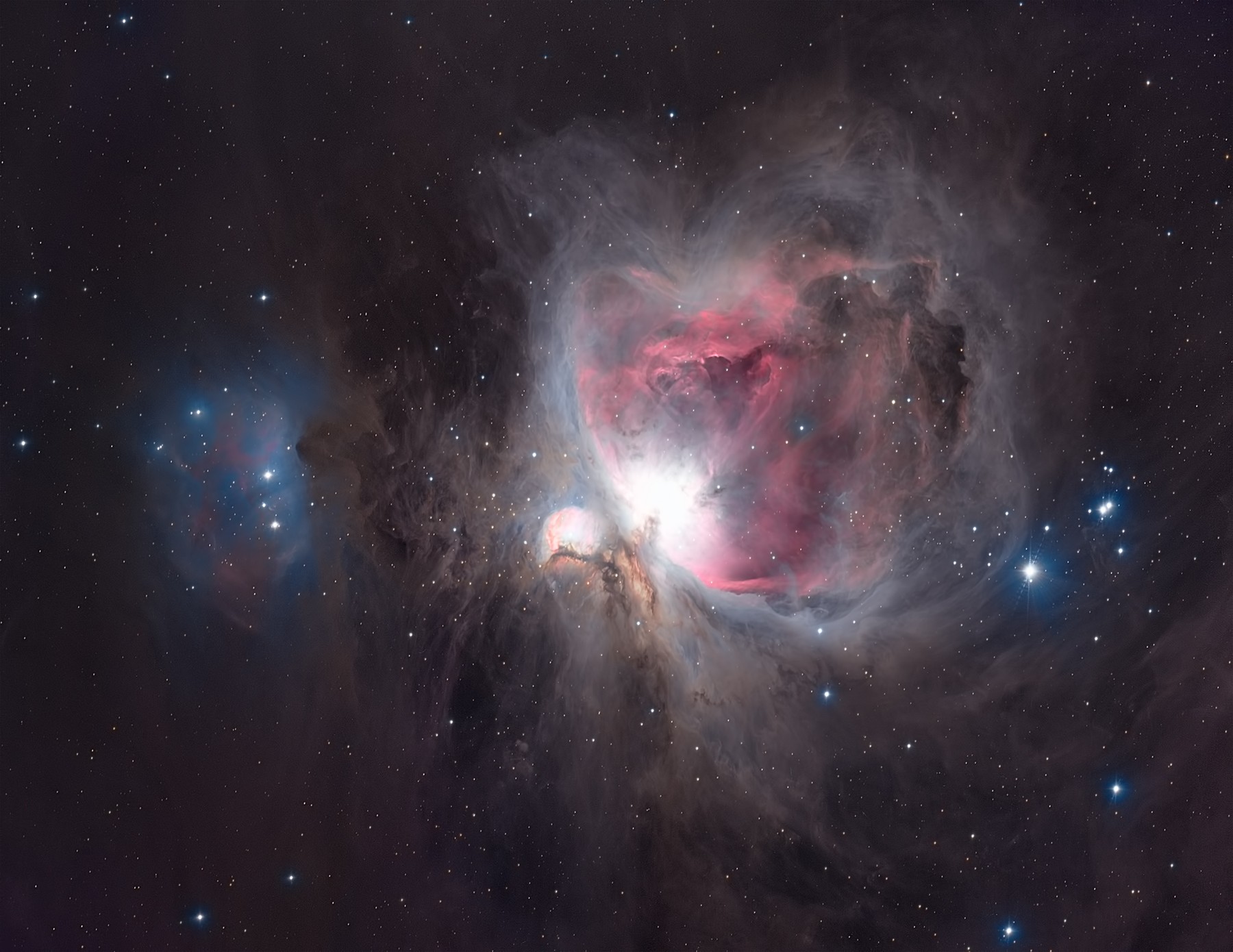
Nebulae, a bright star and the details between them. Choose a name to find its place in the photo.
How it works
The stars form patterns that don’t change. Skyshot reads the pattern in your photo and finds the one place in the whole sky where it fits. No location, camera settings or telescope connection needed.
Skyshot recognises fields from about 60° down to a third of a degree, and wider skies too: fisheye shots and panoramas.
Straight from your phone, camera or telescope: JPEG, PNG, WebP, TIFF or FITS. A whole folder works too.
It compares the stars in your frame with a map of the whole sky, usually within seconds.
See what you caught, learn about it and save a labelled image or a print.
What you’ll find
Choose any label to see what it is: its type, size and brightness, how far away it is where that is known, and where to read more. Constellation figures, from simple lines to Johannes Hevelius’ engravings of 1690, show how your frame fits into the sky.
Selected in the photo
M 42 · NGC 1976
From the Orion example. Each card shows what the catalogues know about an object.
New · still learning
Open a photo of the Moon: the whole disc or a close-up of a few craters. Skyshot works out which part of the Moon you caught and names the seas, craters, mountains and landing sites on your own picture. Each name opens a card.
It’s new, so not every Moon photo is recognised yet. When Skyshot can’t be sure, it tells you instead of guessing.
Our technology
Skyshot runs on Skyshot Solver, an engine we wrote from scratch to recognise the sky without hints. The engine is open source, so anyone can check how it works, and developers, researchers and hardware makers can build on it.
Community
Share what you caught, ask how others took their shots, and get help with a photo that wouldn’t work. Beginners are very welcome.
Join us on DiscordConversations are in English.
No. Open a photo or the Orion example. Skyshot does the finding; you choose how much detail to see.
For the sky, photos with plenty of sharp stars. For the Moon, a sharp photo of the whole disc or a close-up in which the craters show clearly. Blurred, cloudy or heavily edited images may not be recognised. JPEG, PNG, WebP, TIFF and FITS are supported.
Not to recognise the stars: Skyshot detects them in your browser and sends our server only their positions and the image dimensions. Some photos, starting with the Moon, need the picture itself: then the app sends a greyscale copy to our server, and we keep it for up to 30 days to diagnose recognition failures. In the browser app, a small copy of each photo (512 px, without metadata) also goes through our server to OpenAI, which checks whether it shows the Moon, the night sky or something else. The Privacy Policy has the details.
Yes. Skyshot is free right now: no account, no sign-up and no limit on photos.
Skyshot matches the star pattern, then places known objects from astronomical catalogues in the frame. A label shows where an object is expected; a faint object may not be visible in your particular exposure.