The macOS application is in pilot testing. Windows and Linux are planned.
Your access
Your desktop license
Share the installation ID from Skyshot → License with the operator. Once your access is granted, enter your delivery code to download the license file.
Your license is ready
In the macOS app, open License → Import signed license and choose the downloaded JSON file.
The macOS application
One workspace. Always within reach.
01 / The workspace
Your photos, folders and results.
Add photos or identify an entire folder in a dedicated window. Follow the queue and job status, then use the sidebar to manage folders, results, integrations and your license.
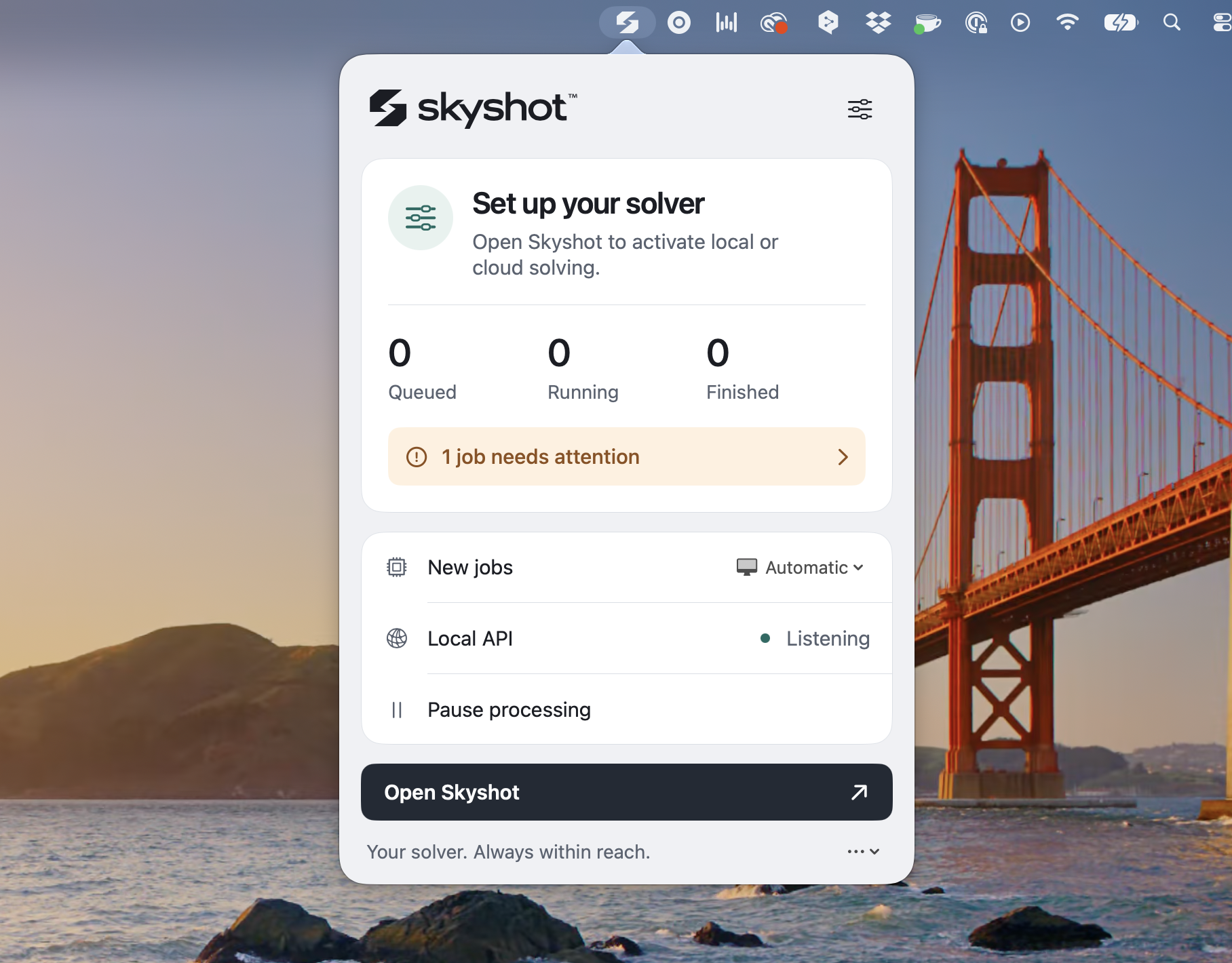
Check the queue, see jobs that need attention and confirm that the local API is listening. Choose local or cloud identification, pause the queue or open the full workspace. Skyshot keeps working when you close the main window.
In Skyshot, open Integrations → Install & pair PixInsight
Open the connector in PixInsight 1.9.5 or later
Choose the active image, open images or a series of files
Solve locally or in cloud and save native astrometry
Pairing is automatic. The connector shares the agent, license and indexes with Skyshot. File batches save solved XISF copies.
Local API
Create a separate application token in the desktop app under Integrations. Allow access to the input folder, then send work to the agent on this computer.
The agent selects a licensed solver. Closing the workspace does not stop the queue.
Cloud API
Use your cloud API key for the hosted solver. The key identifies your account and its allowance; the desktop license controls which solvers the app can use.
For cloud solving in the desktop app, add the cloud key in Settings. A local integration token and a cloud key are separate credentials.
Administration
Issue a signed license for a specific Skyshot installation, then deliver it to its user.
Sign in as an owner
Use an owner API key. It is exchanged for a session; the key is not saved in this browser.
Issue a license
This grants access to this installation until the selected expiry date. Cloud usage also requires its own API key and allowance. An offline license remains usable until it expires.
Signed & ready
Delivery
The license and a delivery link will appear here after issuance.
Copy this link now. The delivery code is shown once. Anyone with the link can retrieve this installation’s license.
Recently issued
Latest 100 licenses. Issued documents remain available for download after a server restart.